
Help & Support
Welcome to the Unfollowers Tracker Help Center. Find guides, feature explanations, and troubleshooting tips to get the most out of your Instagram follower analysis.
What is UnfollowersTracker.io?
IntroductionOverview of Features
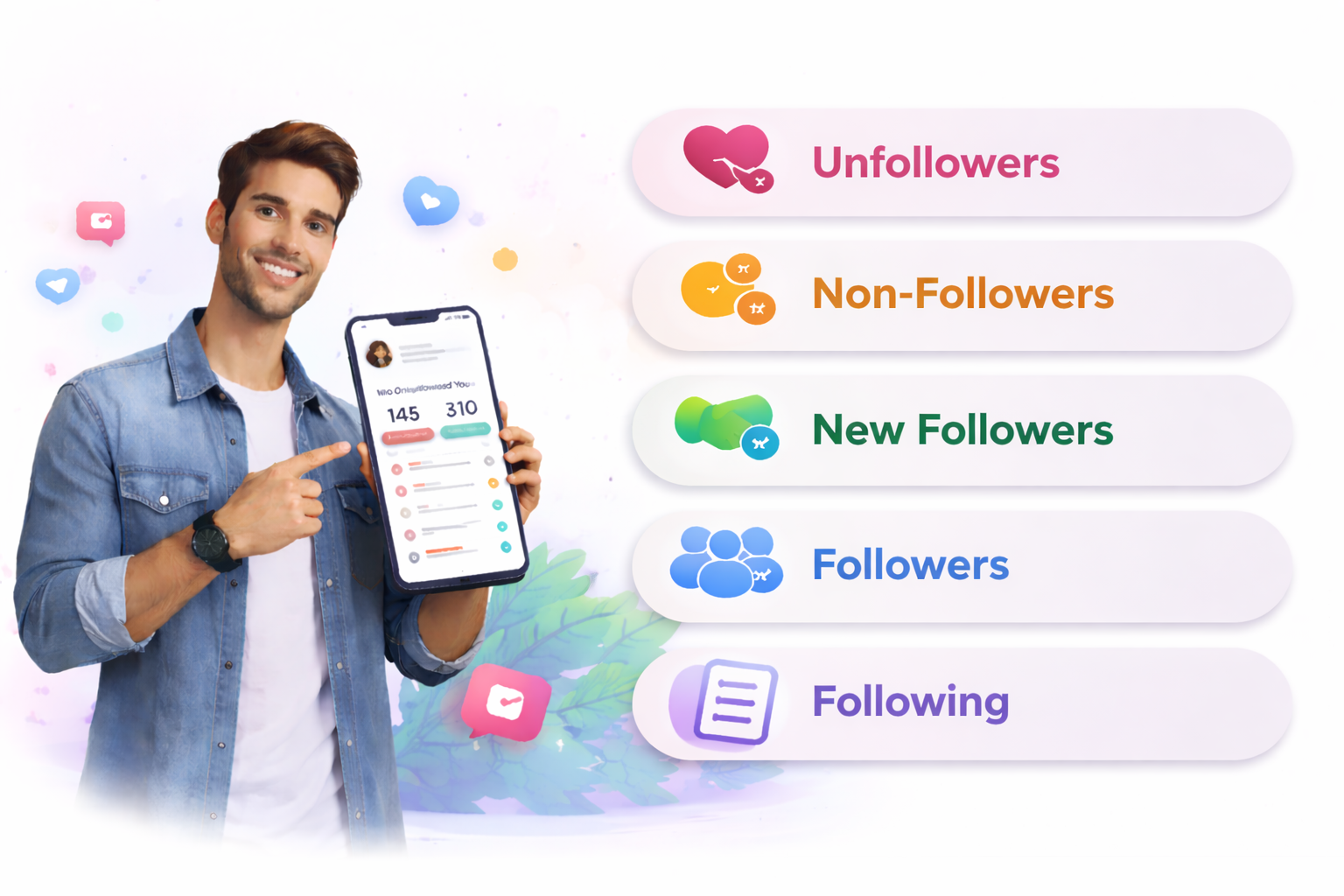
UnfollowersTracker.io is a powerful tool designed for Instagram users to help track their unfollowers and new followers. By analyzing the data you export from Instagram, the tool provides insights into:
Who Is It For?

Stay on top of your audience growth by tracking New Followers and Followers. Easily identify who has Unfollowed You and manage your Non-Followers to ensure you're connecting with the right audience.
Effortlessly track Follower Changes and clean up Non-Followers from your following list. Monitor engagement with both Followers and New Followers to keep your account organized and effective.
Understand your audience behavior by analyzing Unfollowers, New Followers, and Followers. Track your following to maintain meaningful relationships and engage with users who genuinely care about your brand.
Why Use It?
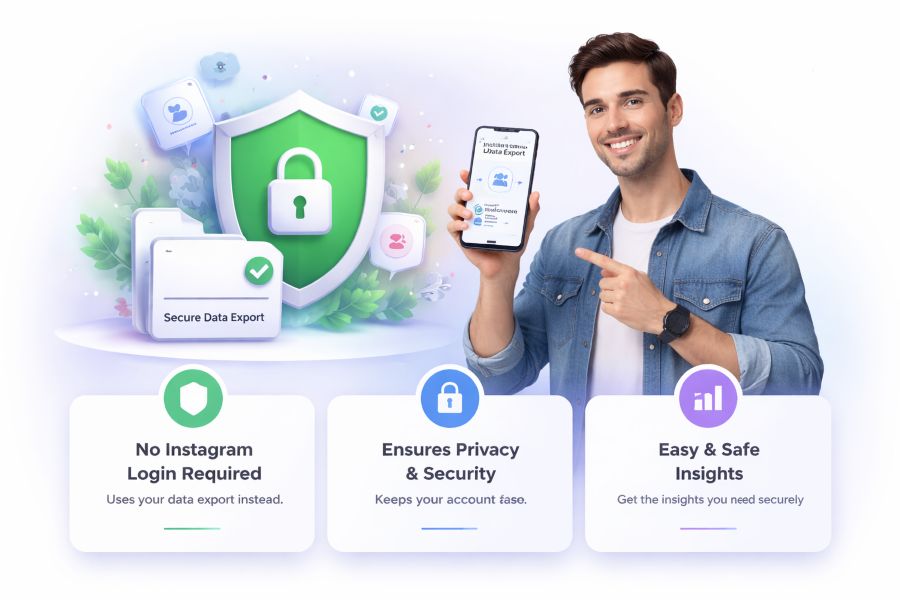
UnfollowersTracker.io ensures your privacy and security by using your Instagram data export instead of requiring your Instagram login. This makes it safer and easier to get insights about your Followers, New Followers, Non-Followers, and Unfollowers without compromising your account's security.
By analyzing the following trends, you can make informed decisions to optimize your social media strategy and improve engagement.
Getting Started
Step 1How to Sign Up or Log In
1 Visit the Registration Page
Go to app.unfollowerstracker.io/register to create your account.
2 Enter Your Information
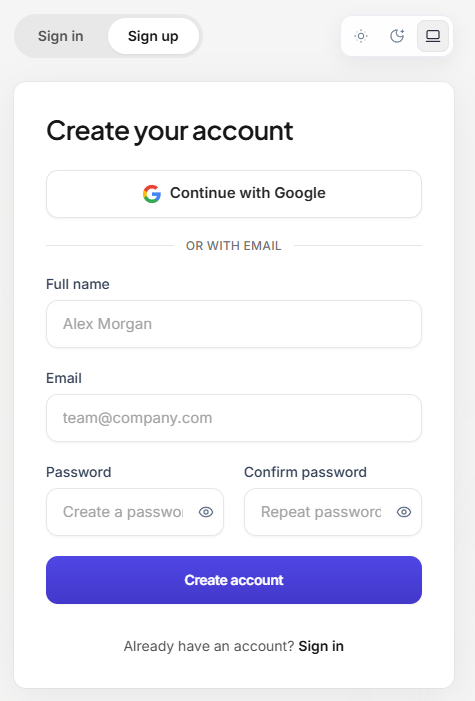
- Username: Pick a unique username
- Email Address: Provide a valid email
- Password: Create a secure password (minimum 8 characters)
- Confirm Password: Re-enter the password
3 Email Verification
Check your inbox for a verification email and click the link to activate your account.
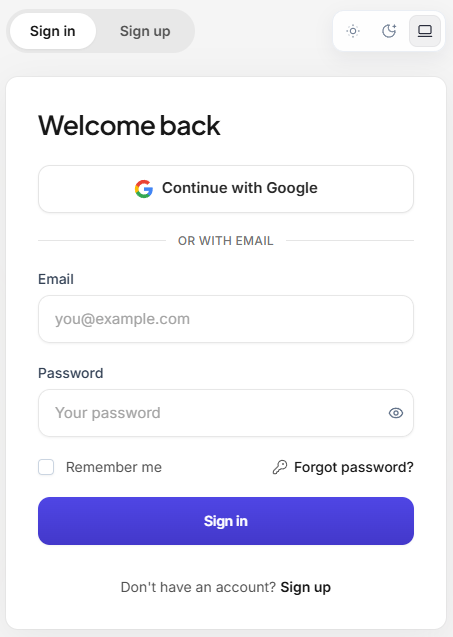
4 Log In
Once verified, go to app.unfollowerstracker.io/login to log in with your email and password.
Download Your Instagram Data
Step 2Before You Begin
To track unfollowers on Instagram, you need to download your followers and following lists. This step-by-step guide walks you through exporting your Instagram data.
1 Open Your Instagram Account
Start by opening your Instagram account on your device.
2 Go to Instagram Settings
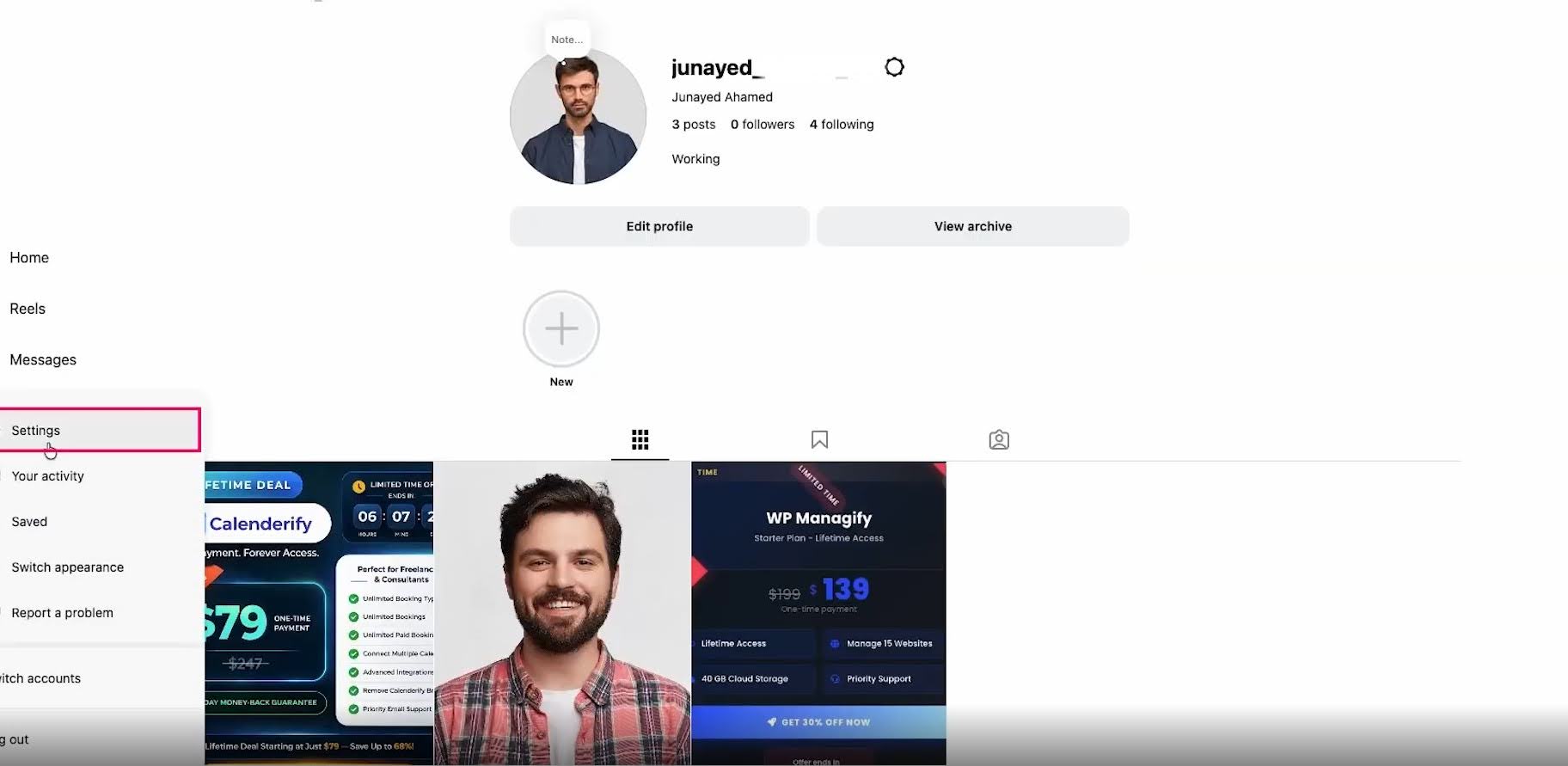
Navigate to your Instagram profile page, then tap the three lines in the top-right corner to open the menu. From there, go to Settings.
3 Go to Accounts Center
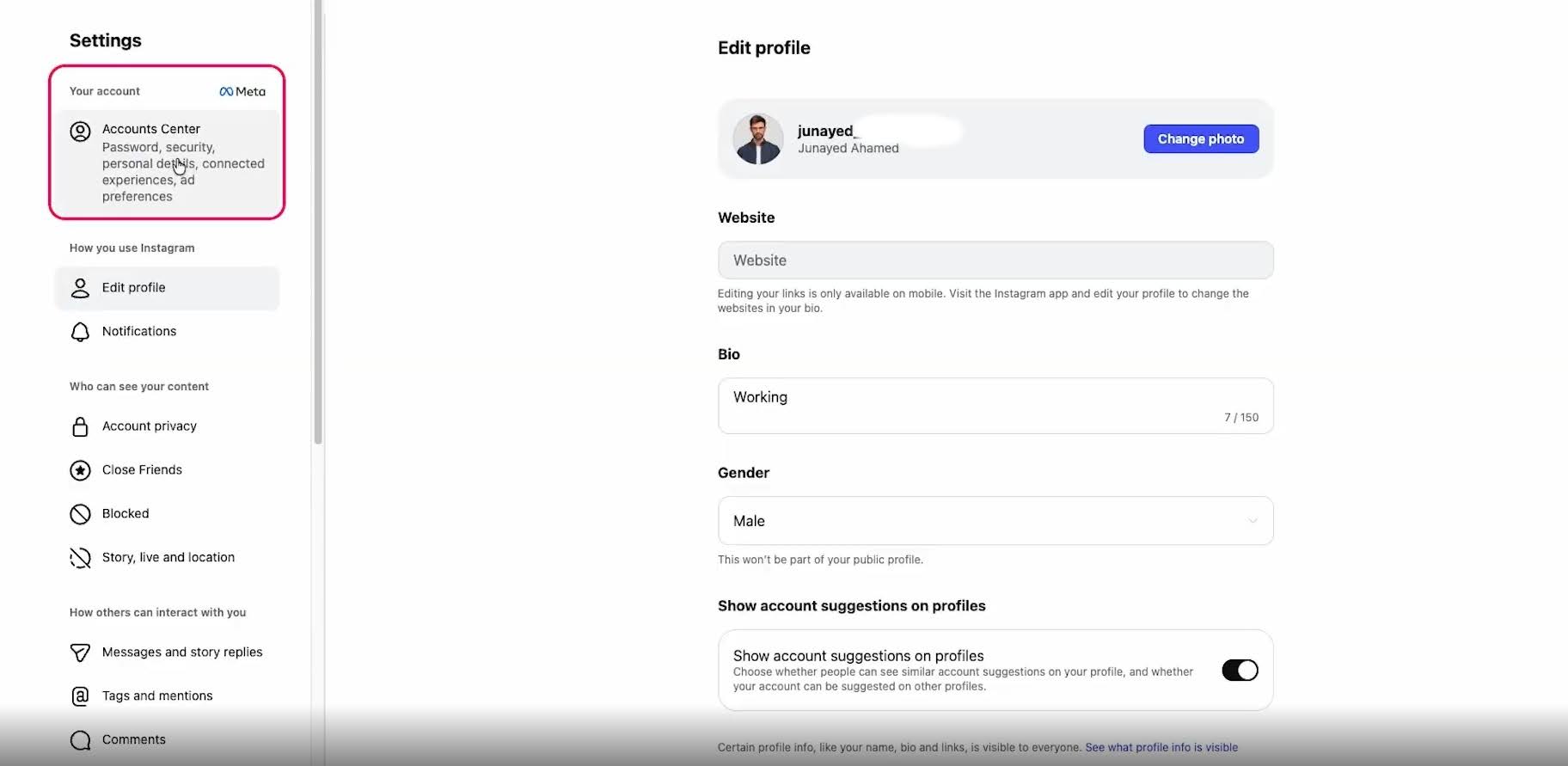
In the Settings menu, tap Accounts Center to manage your connected accounts and data.
4 Your Information and Permissions
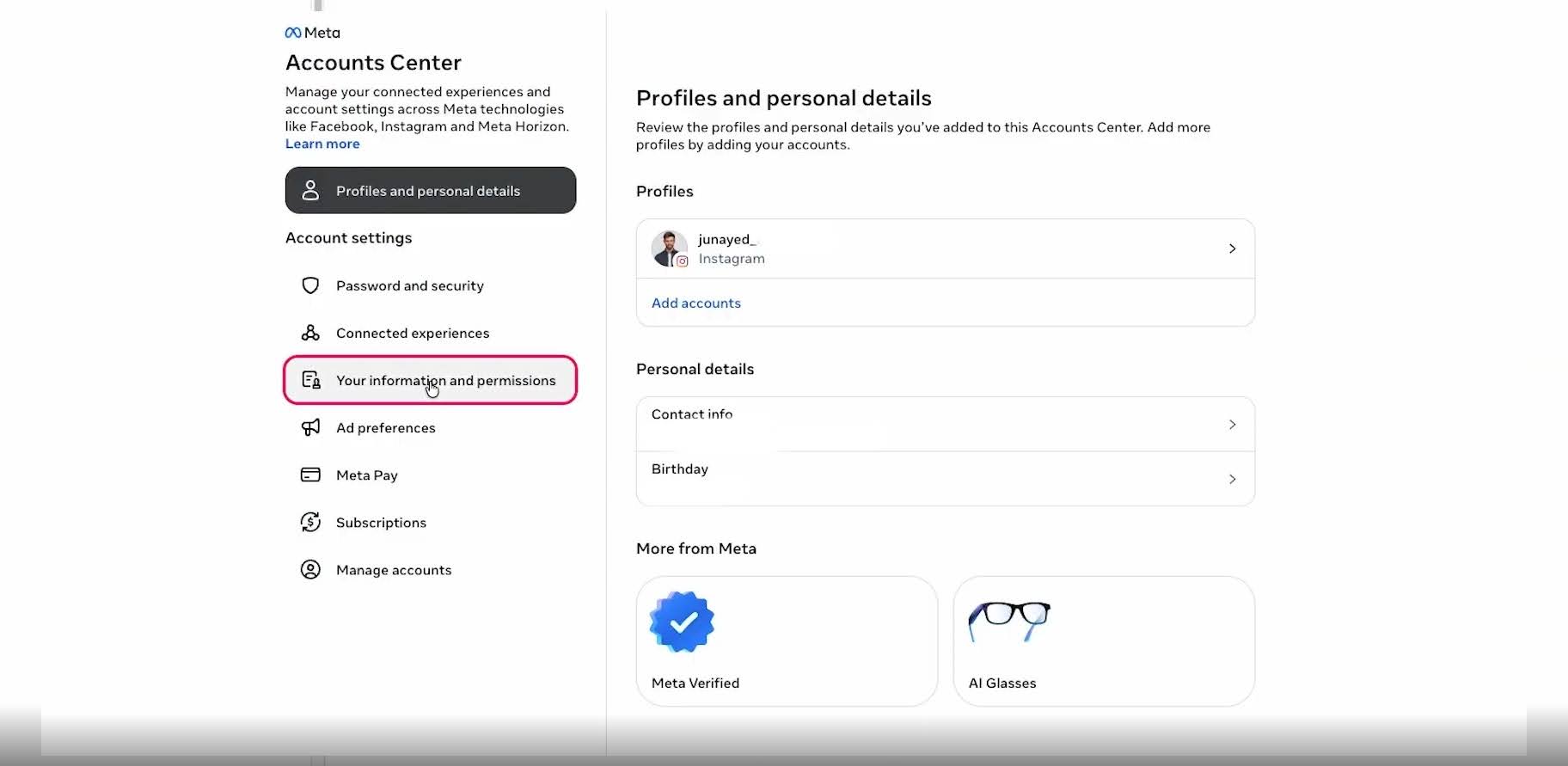
Under Accounts Center, look for the Your Information and Permissions section, where you can manage data downloads.
5 Export Your Information
Choose the Export Your Information option to start the data export.
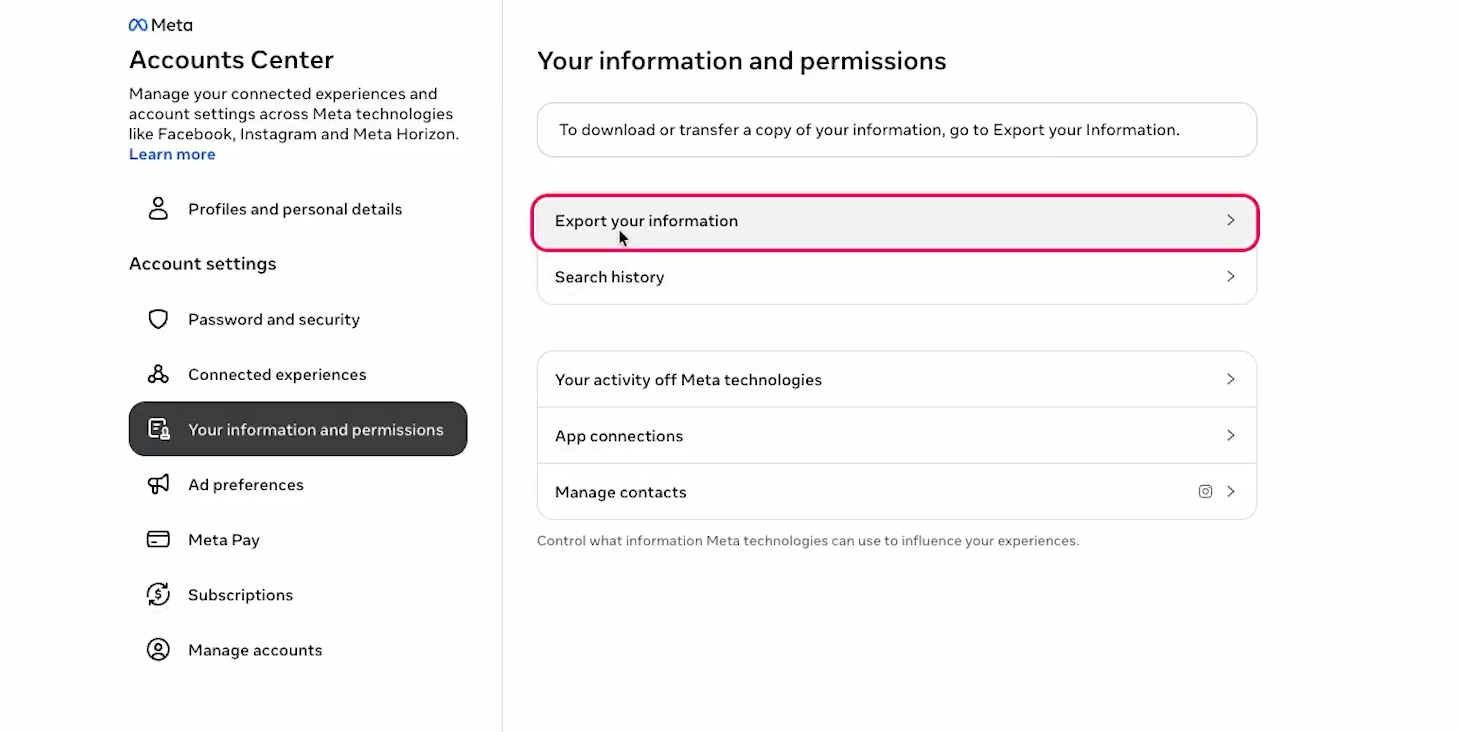
6 Create Export
Click Create Export to start selecting which data to export.
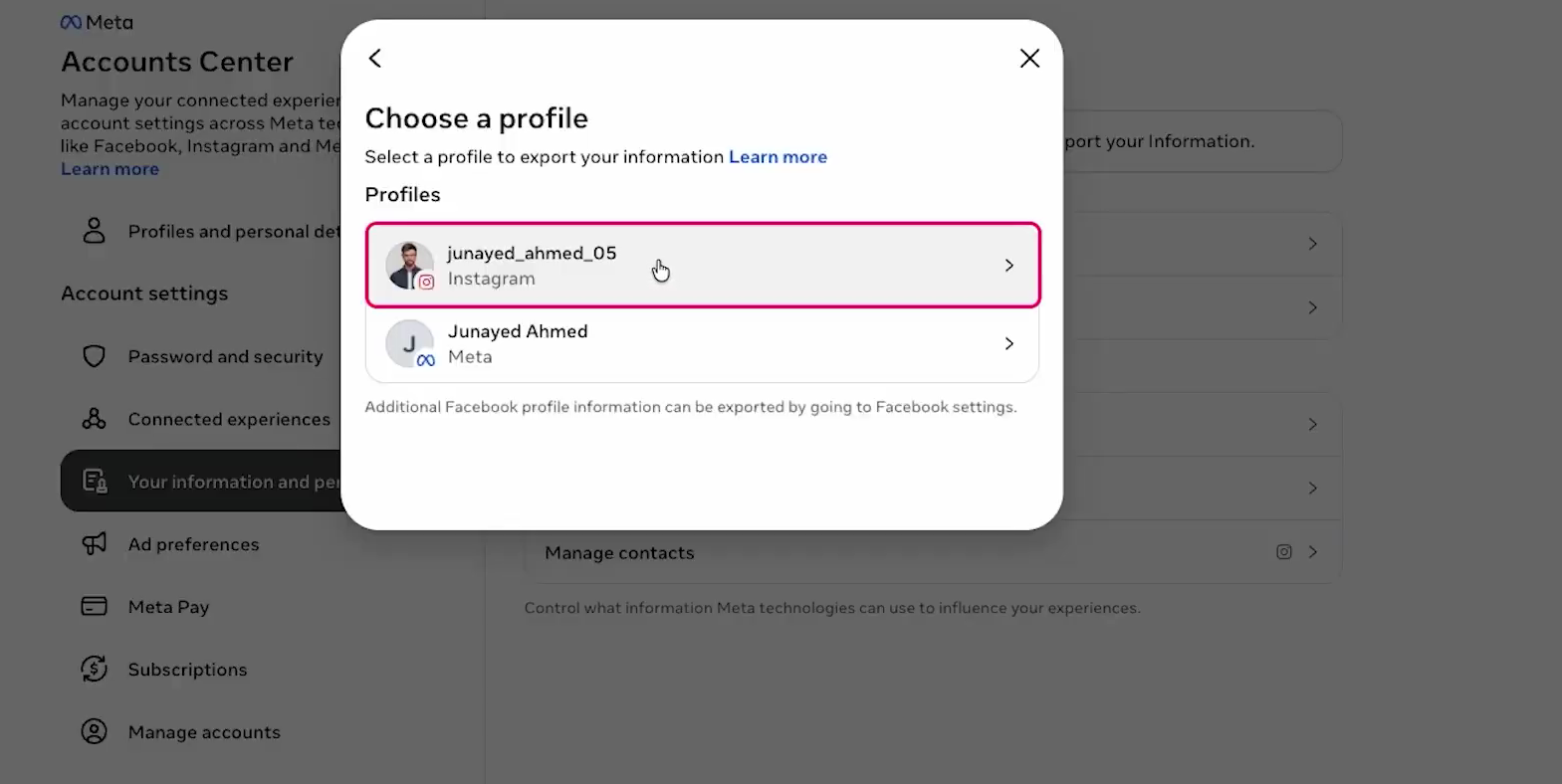
7 Choose a Profile
Select the Instagram profile for which you wish to download the data.
8 Export to Device
Export the data to your device so you can easily access the file.
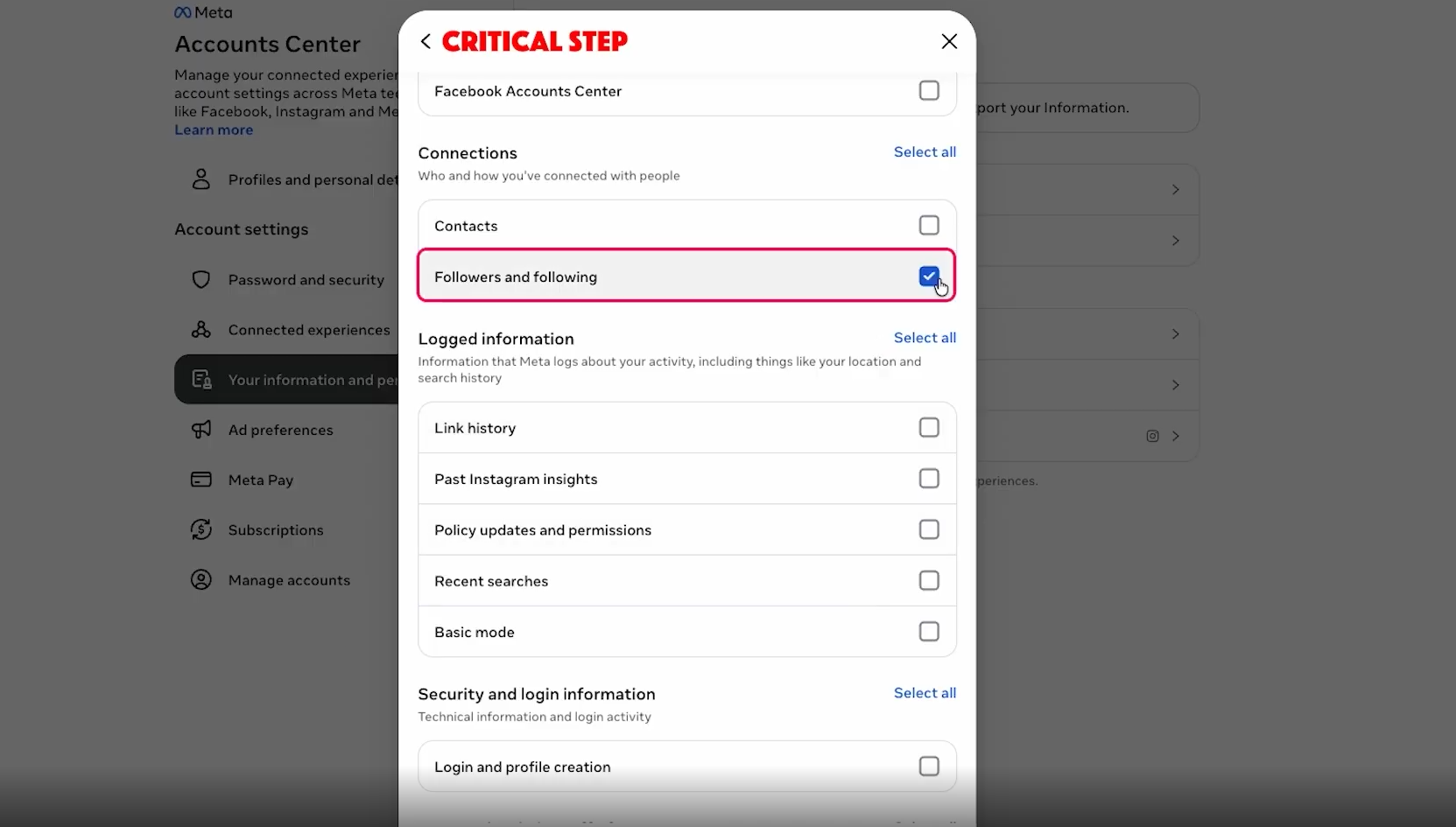
9 Customize Information
Under the Customize Information section, select Followers and Following as the data type you want to download.
10 Connection
Make sure to select only Followers and Following, then click Save.
11 Date Range
Choose All time under the Date Range options to get the complete list. Afterward, click Save.

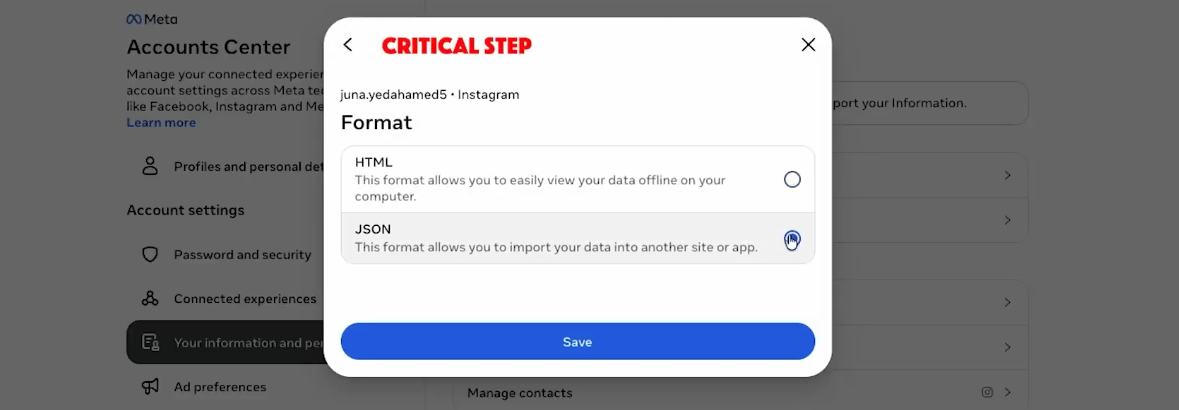
12 Format
Select JSON as the file format for the data download, and then click Save.
13 Start Export
Click on Start Export to begin the process. You will be prompted to enter your Instagram account password for security purposes.
14 Receive Email Confirmation
Once the export has started, Instagram will send you an email confirming that your download request is in progress.
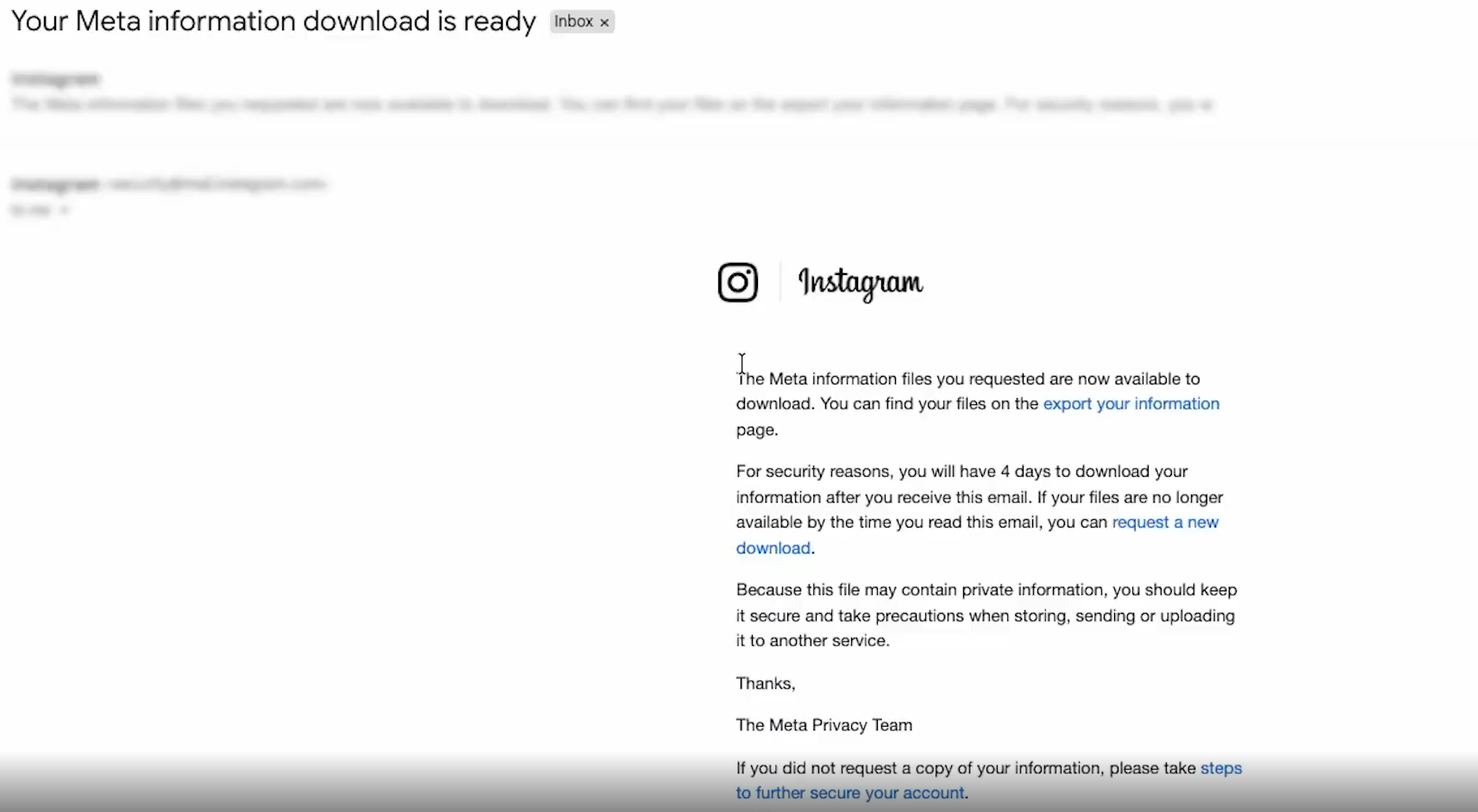
15 Receive Ready Email
After a short wait, you will receive a follow-up email notifying you that your information download is ready.
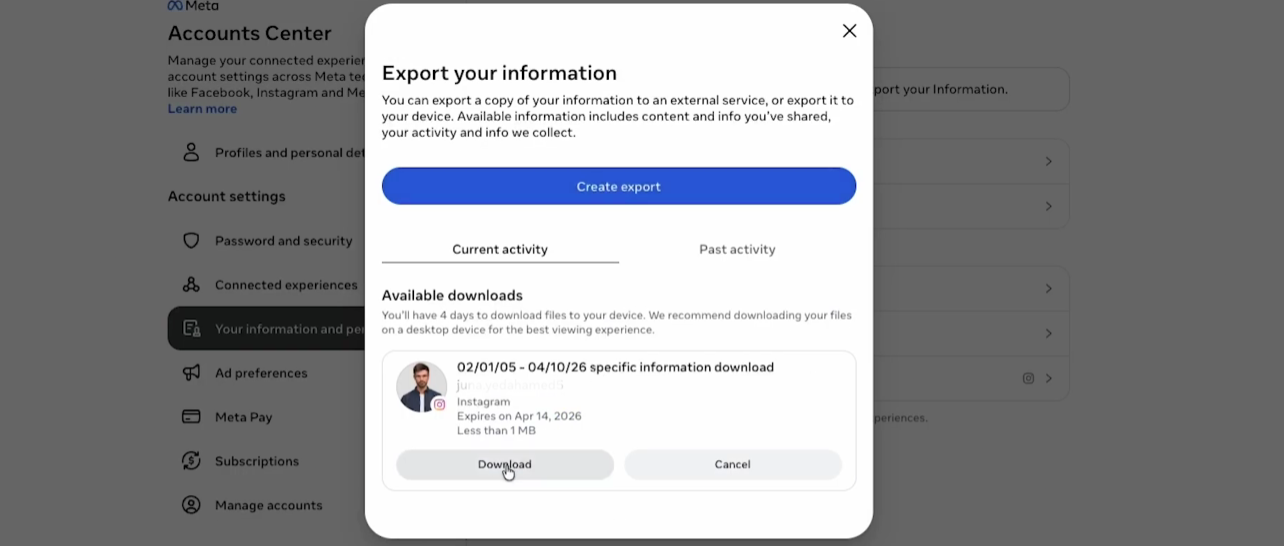
16 Download the ZIP File
Go back to your Instagram account, tap the Download button, and a ZIP file containing your followers and following data will be downloaded to your device. This file is now ready to be uploaded to UnfollowersTracker.
Create Account & Upload Data
Step 3Create an Account on UnfollowersTracker
1 Log In to Your Account
Navigate to the dashboard, where you'll see the "New Upload" section.
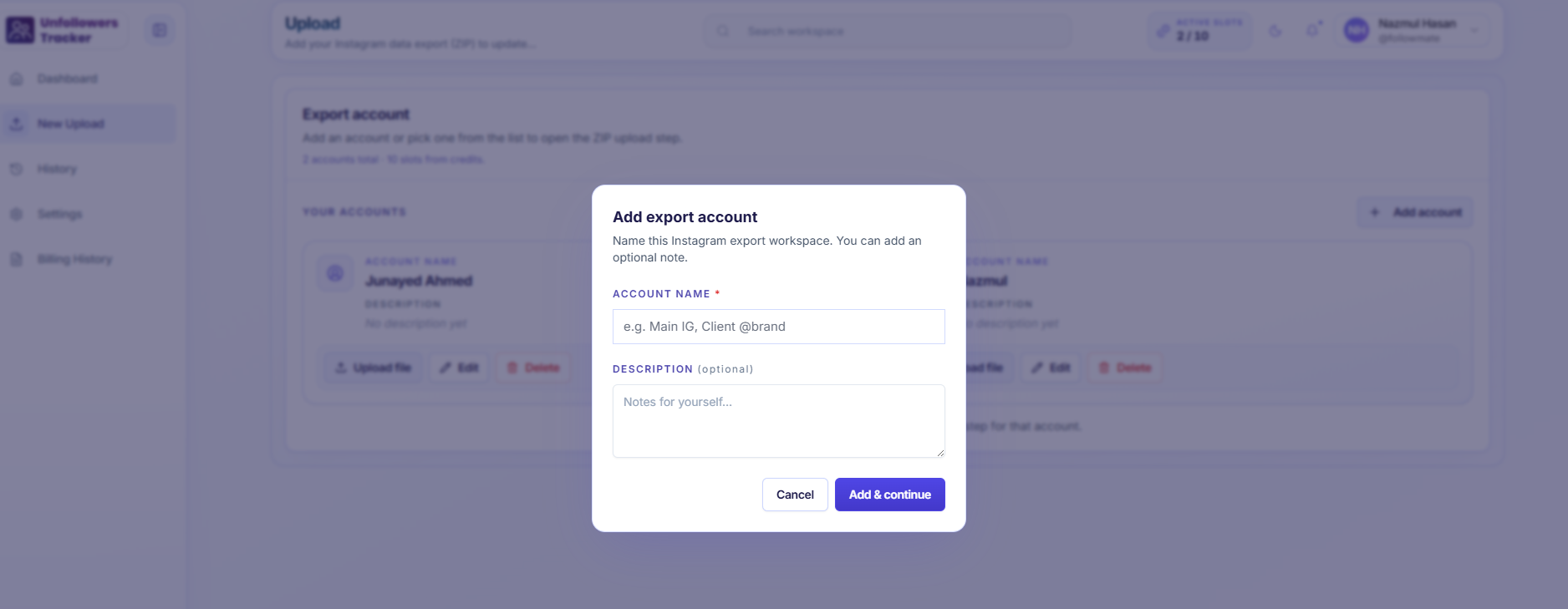
2 Click "Add Account"
On the "Your Accounts" section, click the + Add account button.
3 Fill in Account Details
- Account Name: Enter a unique name for your account, e.g., "Main IG" or "Client @brand"
- Description (optional): Add any notes or details about the account if desired, e.g., "Personal Instagram" or "Brand Account"
4 Click "Add & Continue"
After entering the required details, click Add & Continue to create the account.
Upload Your Instagram Data
1 Visit UnfollowersTracker.io
Go to UnfollowersTracker.io.
2 Upload the Data
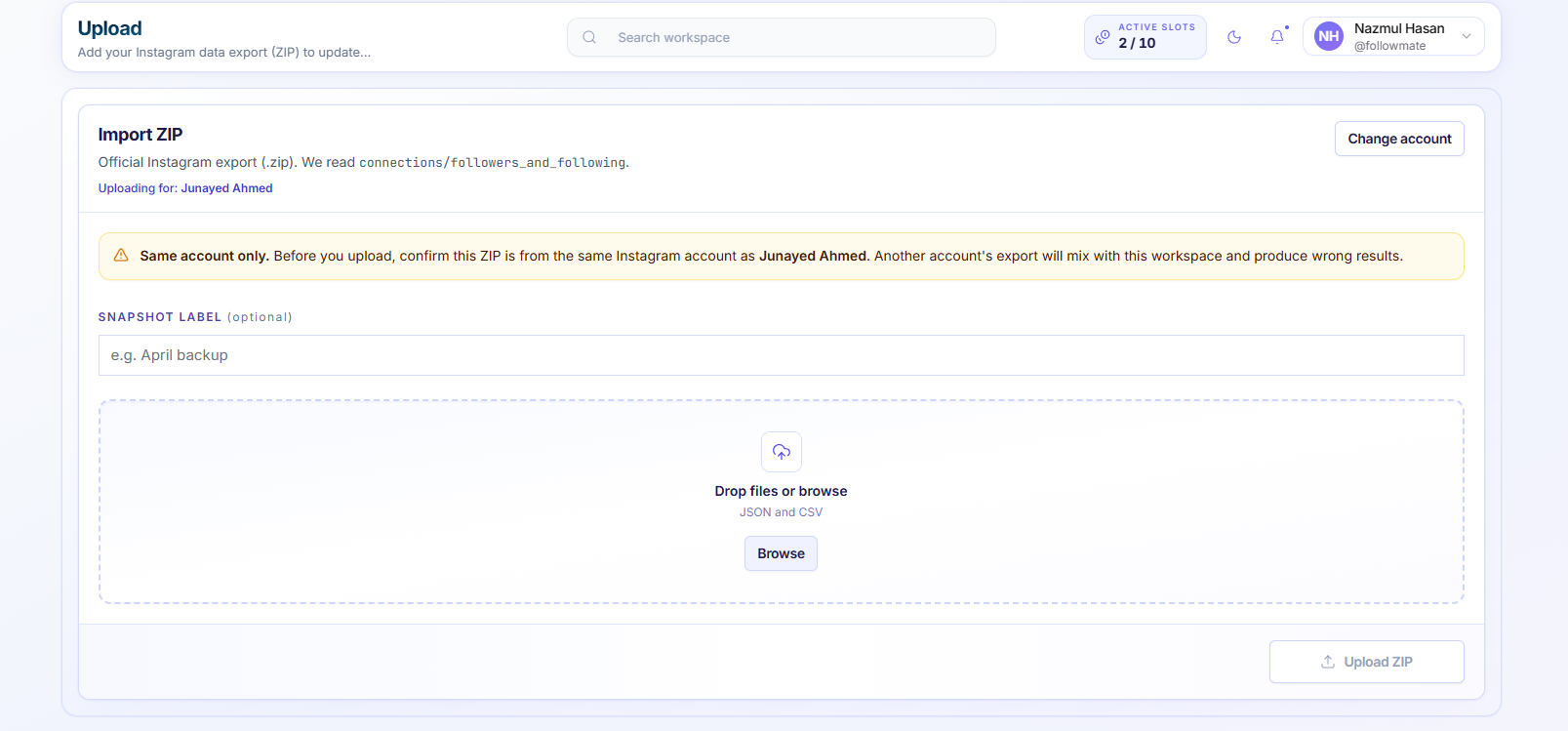
Click the Upload Data button and select the ZIP file you downloaded from Instagram.
3 Wait for the Analysis
The tool will process the data in your browser (no login required). Once done, you'll see your unfollowers, non-followers, and mutual followers.
Core Features
FeaturesEverything you need to analyze your Instagram followers safely and effectively. UnfollowersTracker.io offers a variety of powerful features to help you track and analyze your Instagram followers with ease.
Unfollowers Tracking
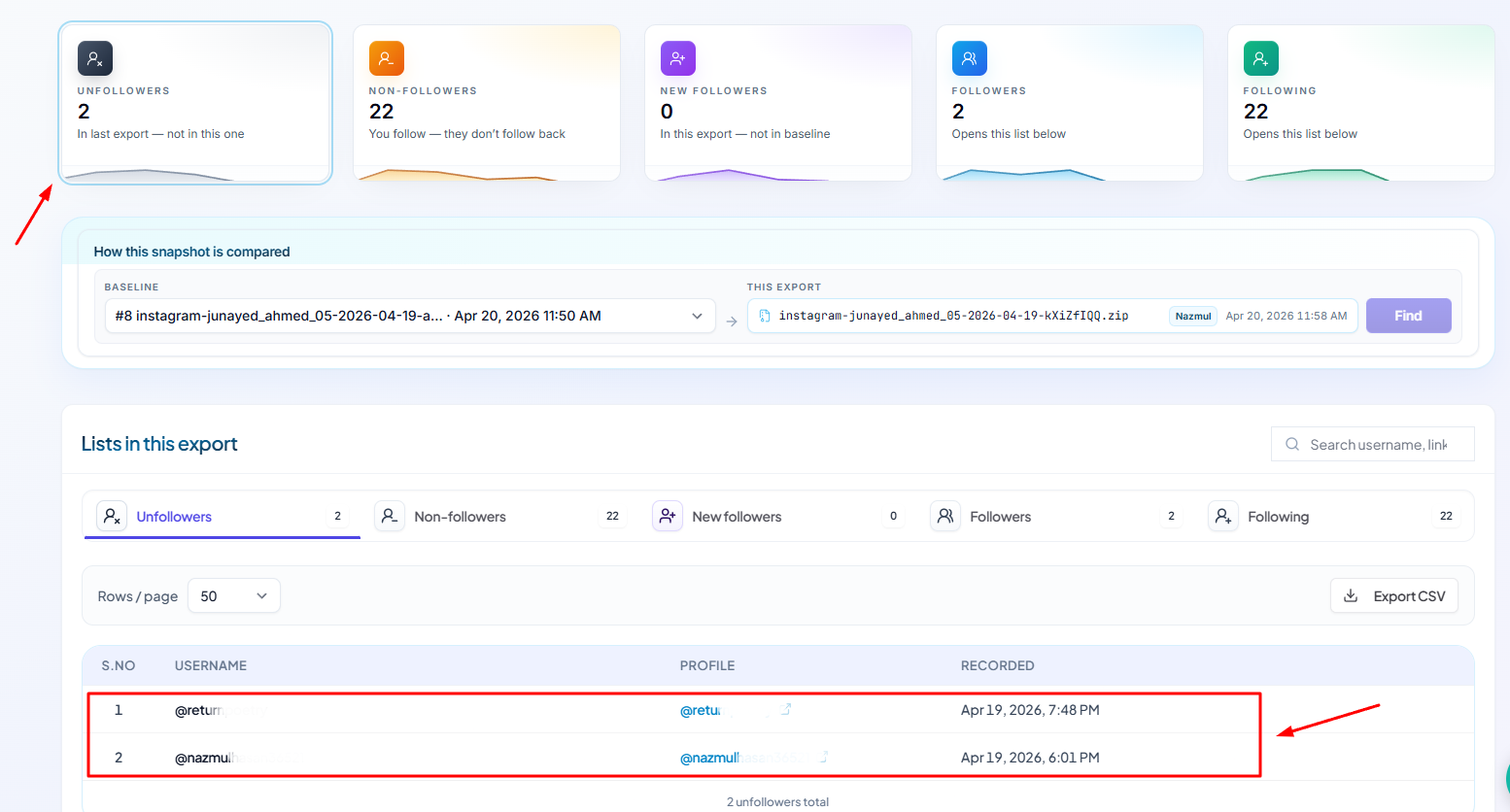
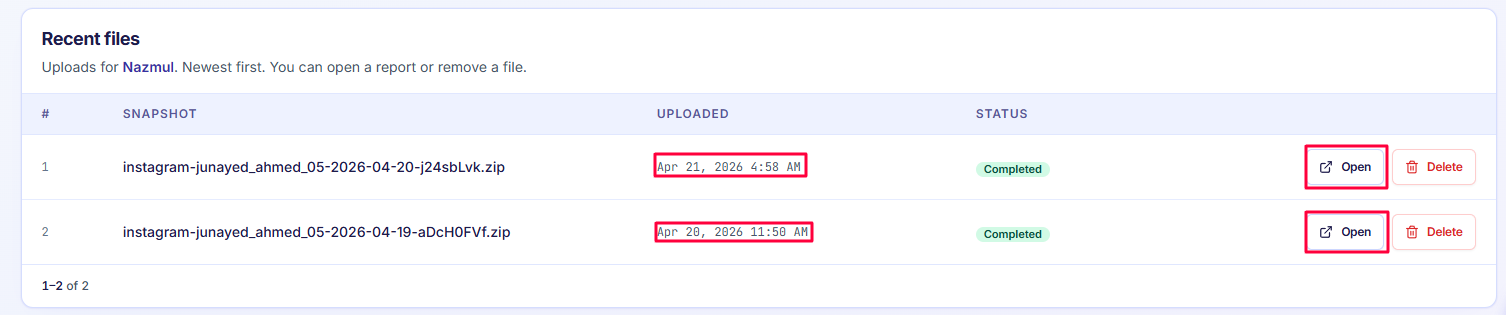
See who unfollowed you clearly and instantly. Identify exactly who has stopped following you, when they unfollowed, and get detailed insights about your follower changes.
Non-Followers Detection
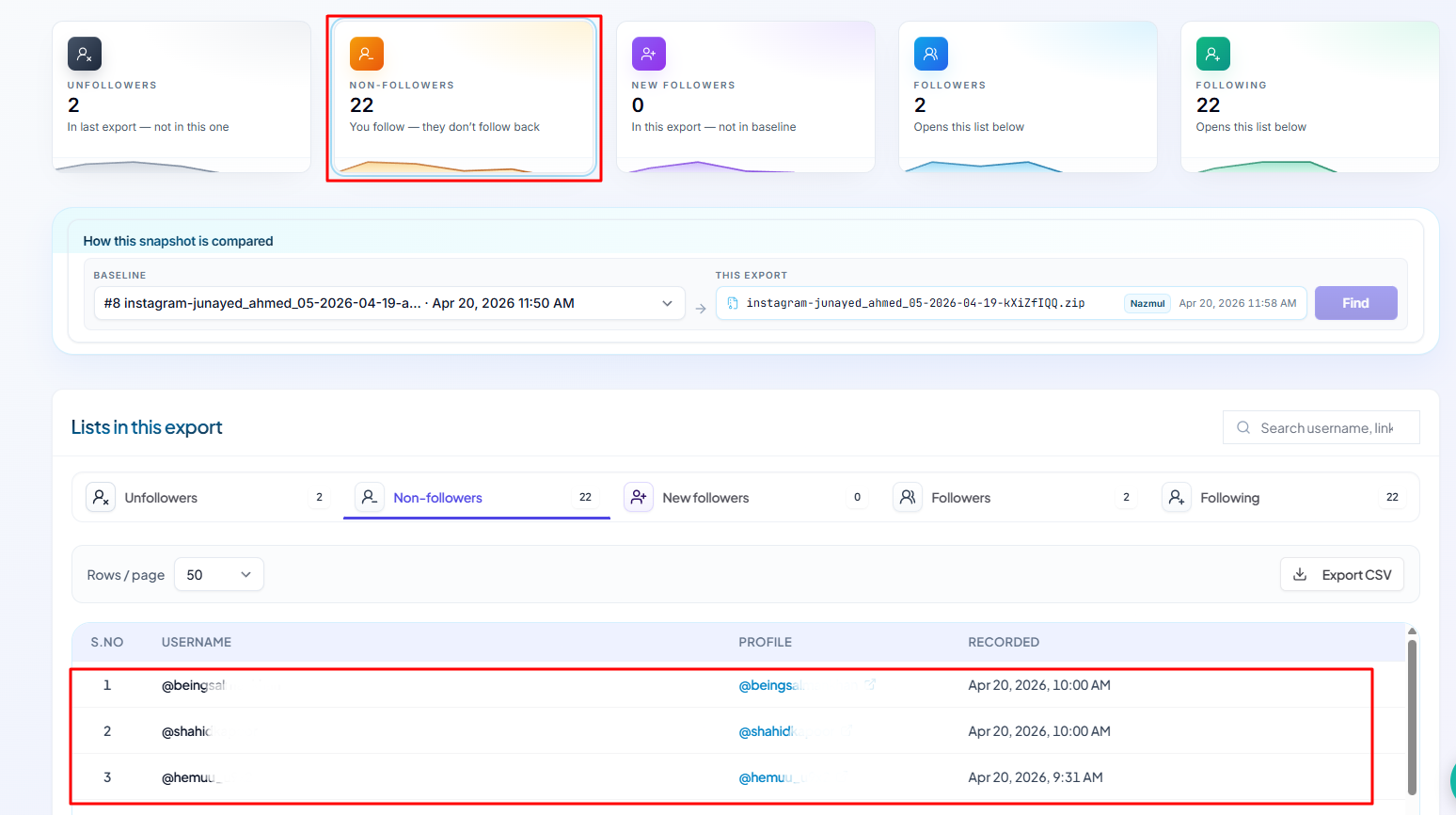
Find accounts you follow that do not follow you back. Quickly identify one-sided relationships and decide who to keep following.
New Followers Tracking
See who has recently started following you. Identify exactly who has joined your followers and track their engagement.
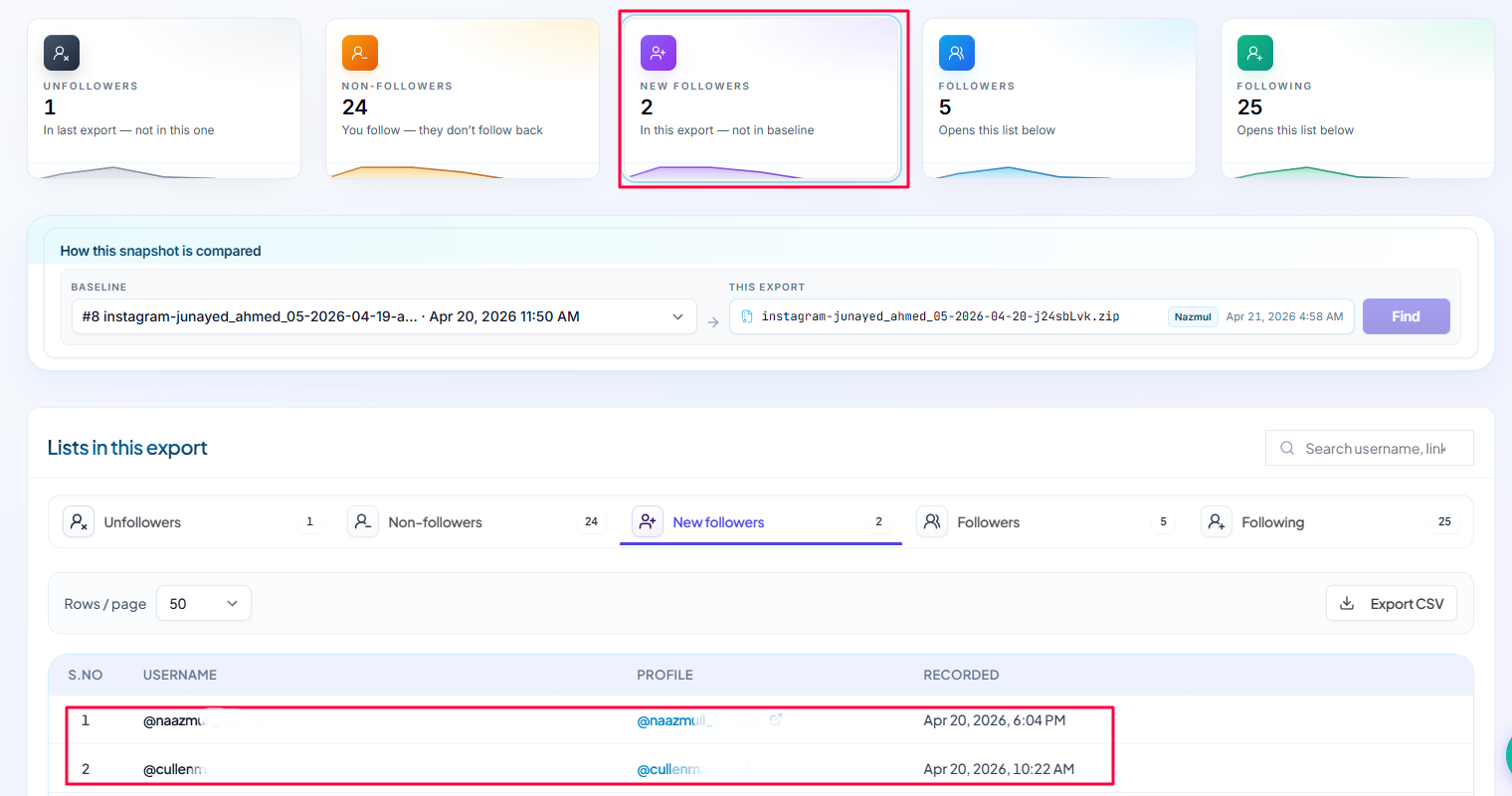
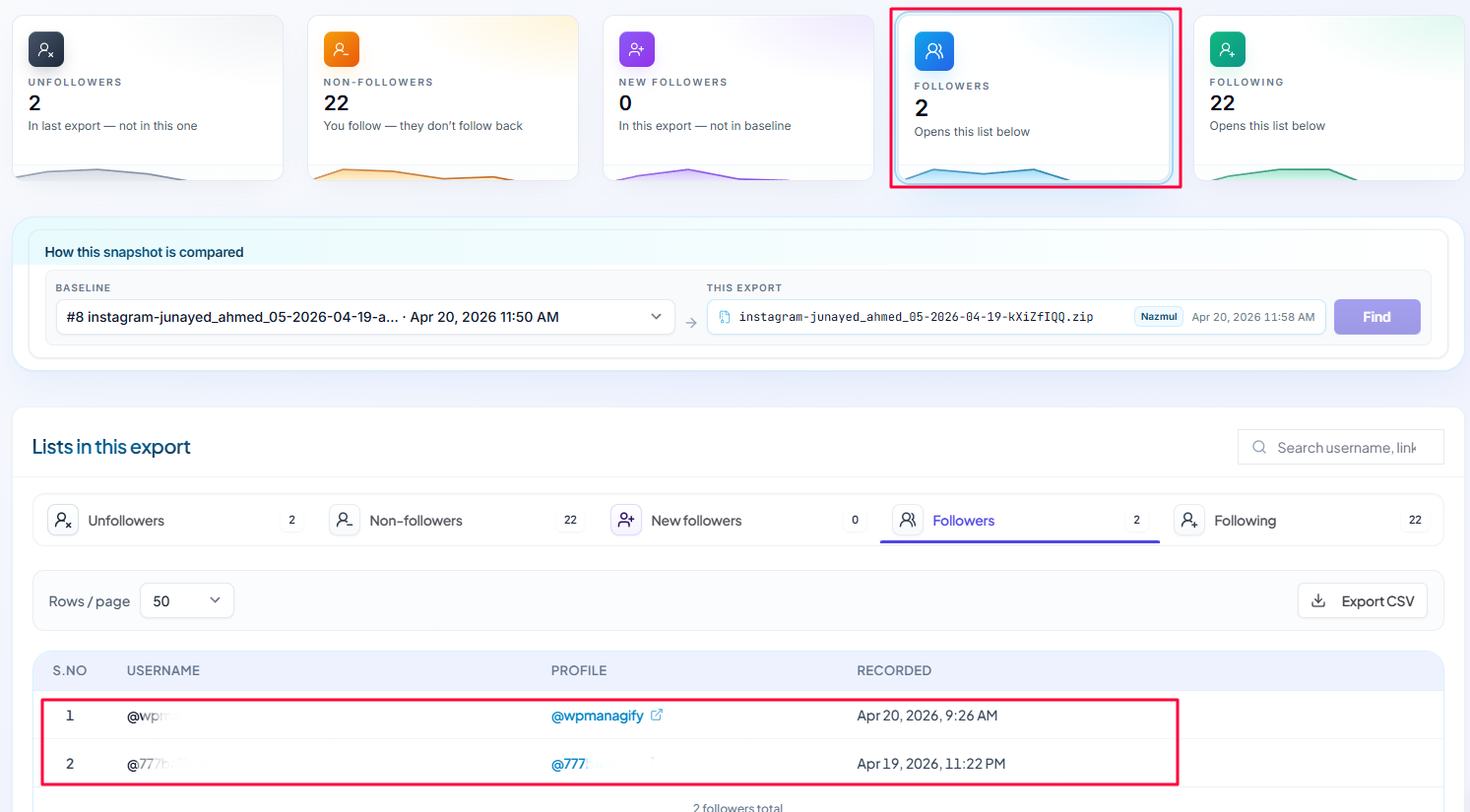
Followers Insights
Gain a clear view of your followers. Understand your follower base, track their growth, and monitor their activity.
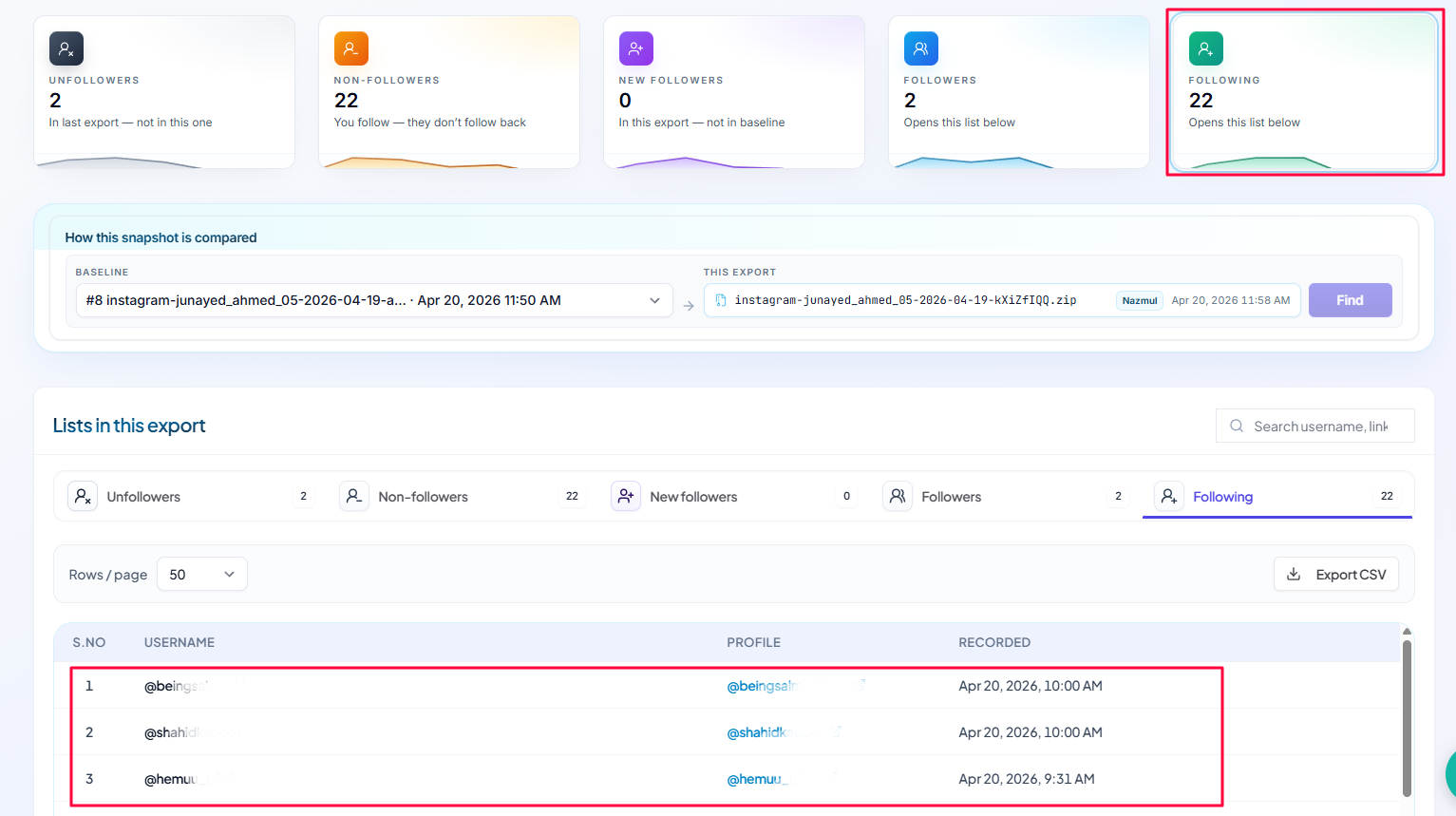
Following Management
Track the accounts you are following. Monitor the following list, identify your connections, and manage your account's engagements effectively.
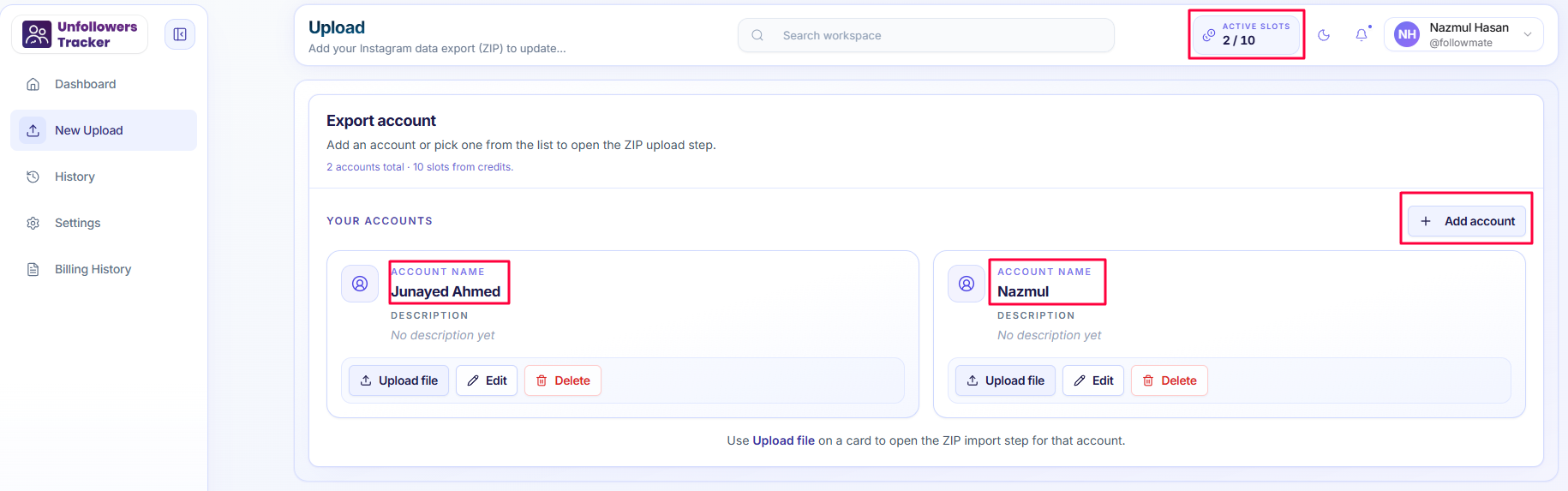
Multi-Account Support
Track multiple Instagram accounts based on your plan. Manage all your profiles from a single dashboard with seamless account switching.
CSV Export Ready
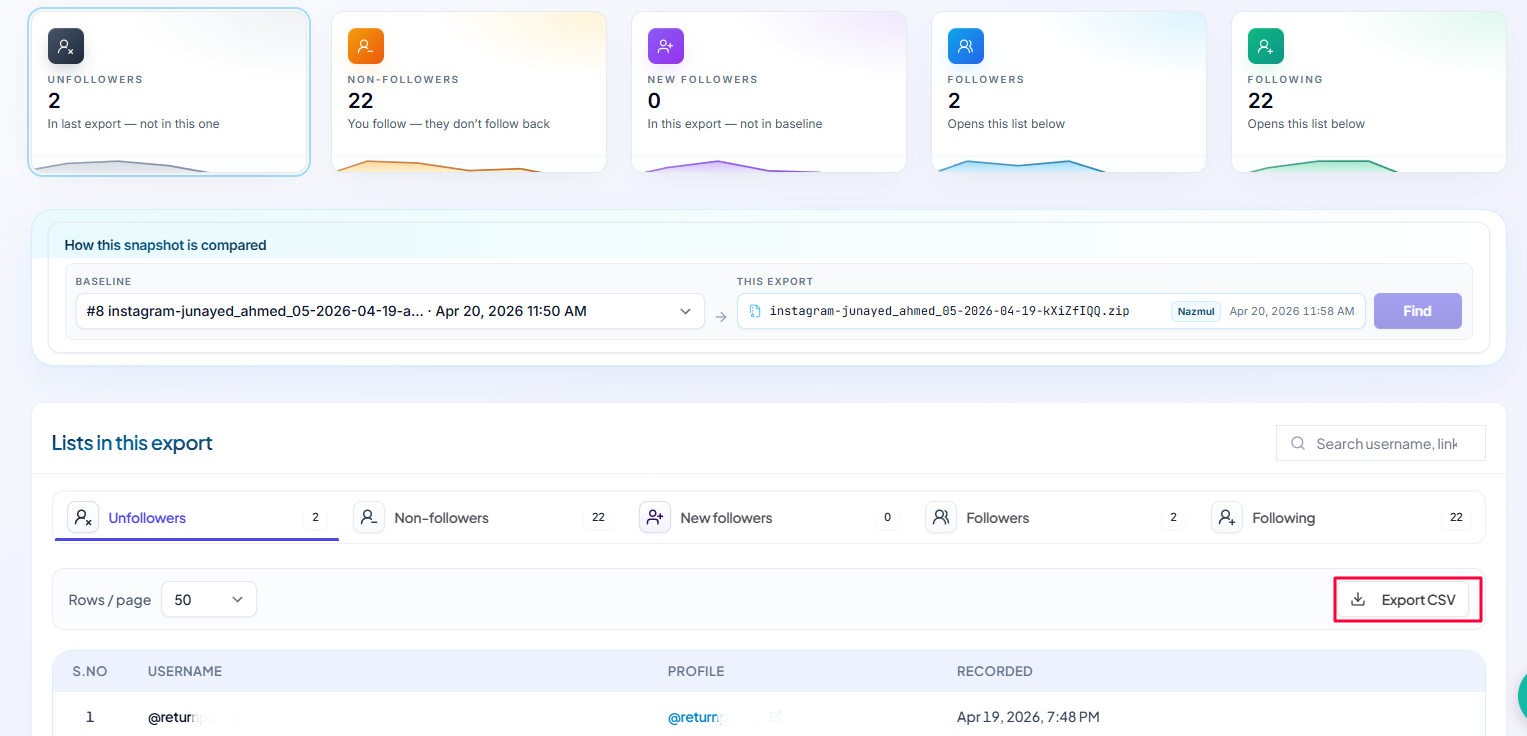
Export your data easily for further analysis. Download detailed reports in CSV format for your records and deeper insights into your follower data.
Troubleshooting & FAQs
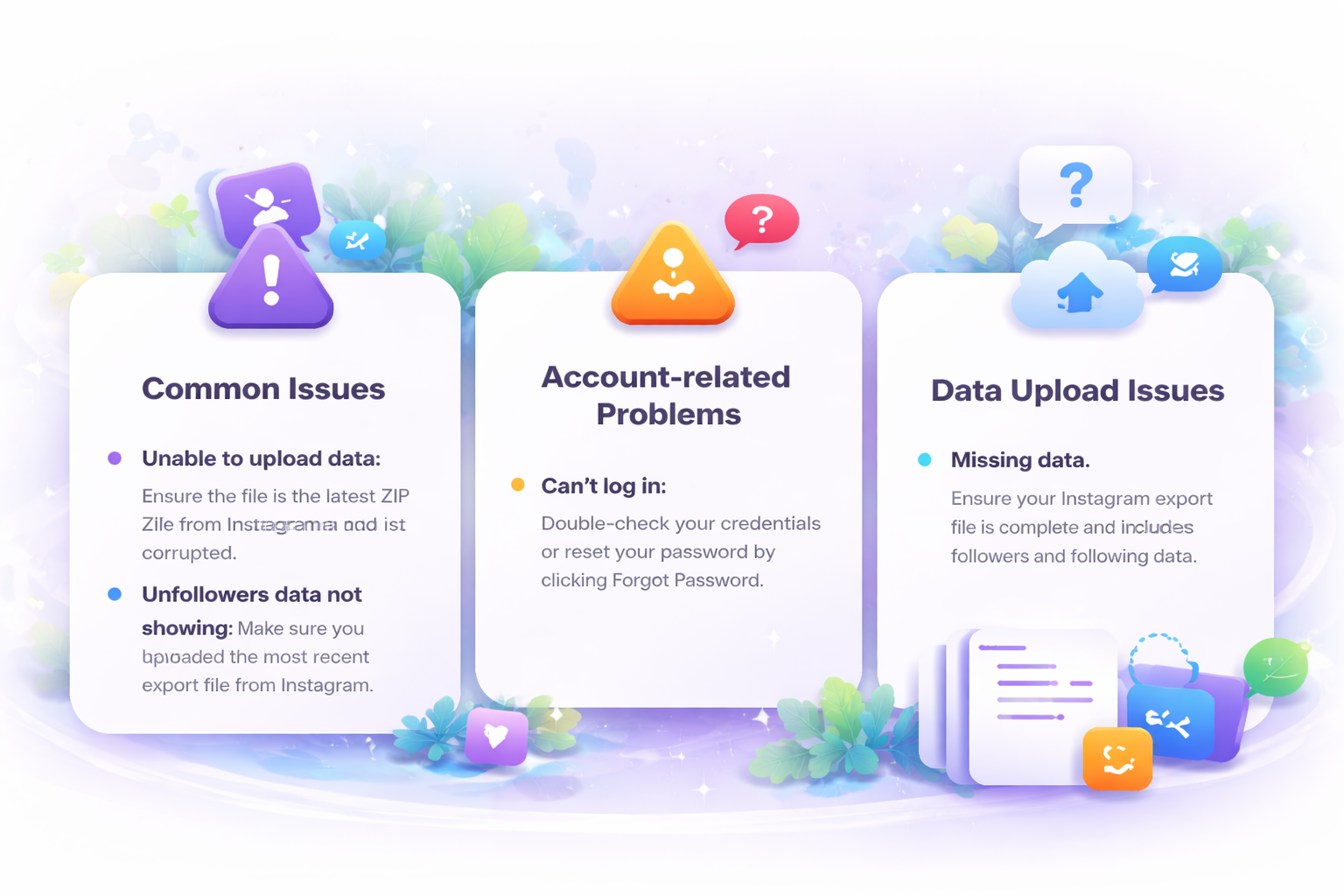
SupportFind solutions to common problems. If your issue isn't listed here, feel free to contact our support team.